
When you're configuring and managing a CCTV system, the interface you use can make a real difference. Finding the right setting, switching between menus, and working across multiple screens can all add unnecessary time to an installation.
That's why Uniview has redesigned its NVR interface.
The new GUI is built around a simple idea: do more with fewer clicks. By bringing related functions together, making key information easier to see and giving greater prominence to frequently used features, Uniview has created a more streamlined experience for installers and end users.
A Home Page, Designed To Do More.
The new homepage gives frequently used NVR functions a much more prominent position. Four quick-jump buttons provide direct access to core functions, while the Application Centre provides an entry point to additional professional configuration, search, and maintenance tools.
There's also more information available at a glance. The device dashboard displays key details including online devices, bandwidth, hard drive capacity, and remaining recording days, while the alarm dashboard provides an overview of the day's alarms.
Instead of navigating through menus to find this information, it's available from the homepage.
What Does This Mean For Installers?
For installers, the redesigned GUI is intended to make day-to-day system configuration, maintenance, and customer support more straightforward. Frequently used settings are easier to locate, system information is clearer, and tasks such as reviewing footage or configuring intelligent events involve fewer steps.
But what does this mean for systems already installed?
The new interface is an NVR software update rather than a physical hardware redesign. There is no reason to replace existing cameras or recorders simply because the interface has changed. However, access to the new GUI will depend on the recorder model and its compatible firmware.
For existing installations, installers should check whether the specific NVR model supports the updated interface and whether a suitable firmware upgrade is available through Uniview. Firmware compatibility and upgrade requirements should always be checked before proceeding. Not every existing recorder should be assumed to support the new GUI.
For customers with compatible systems, a firmware update may provide access to the redesigned experience without requiring a complete system replacement. Installers should also familiarise themselves with the updated menus and workflows so they can confidently support customers who are new to the interface.
For new installations, the redesigned GUI offers a more streamlined starting point, helping installers configure systems and hand over a more intuitive experience to end users.
Ultimately, the changes are designed to make Uniview systems easier to manage, both for the installer setting them up and the customer using them every day.
A Faster Way To Work In Live View.
The Preview Interface has been redesigned to make everyday operation more straightforward.
Icons have been refreshed to make functions easier to recognise, while
the toolbar has been reorganised around usage. Frequently used functions are prioritised, with less-used options moved out of the way. Window selection has also been redesigned, making available layouts easier to identify.
Smart functions are also easier to access, with a right-click shortcut providing quick access to the intelligent functions supported by the device.
Playback & Search, Simplified.
Reviewing footage is another area where the new GUI aims to reduce unnecessary steps.
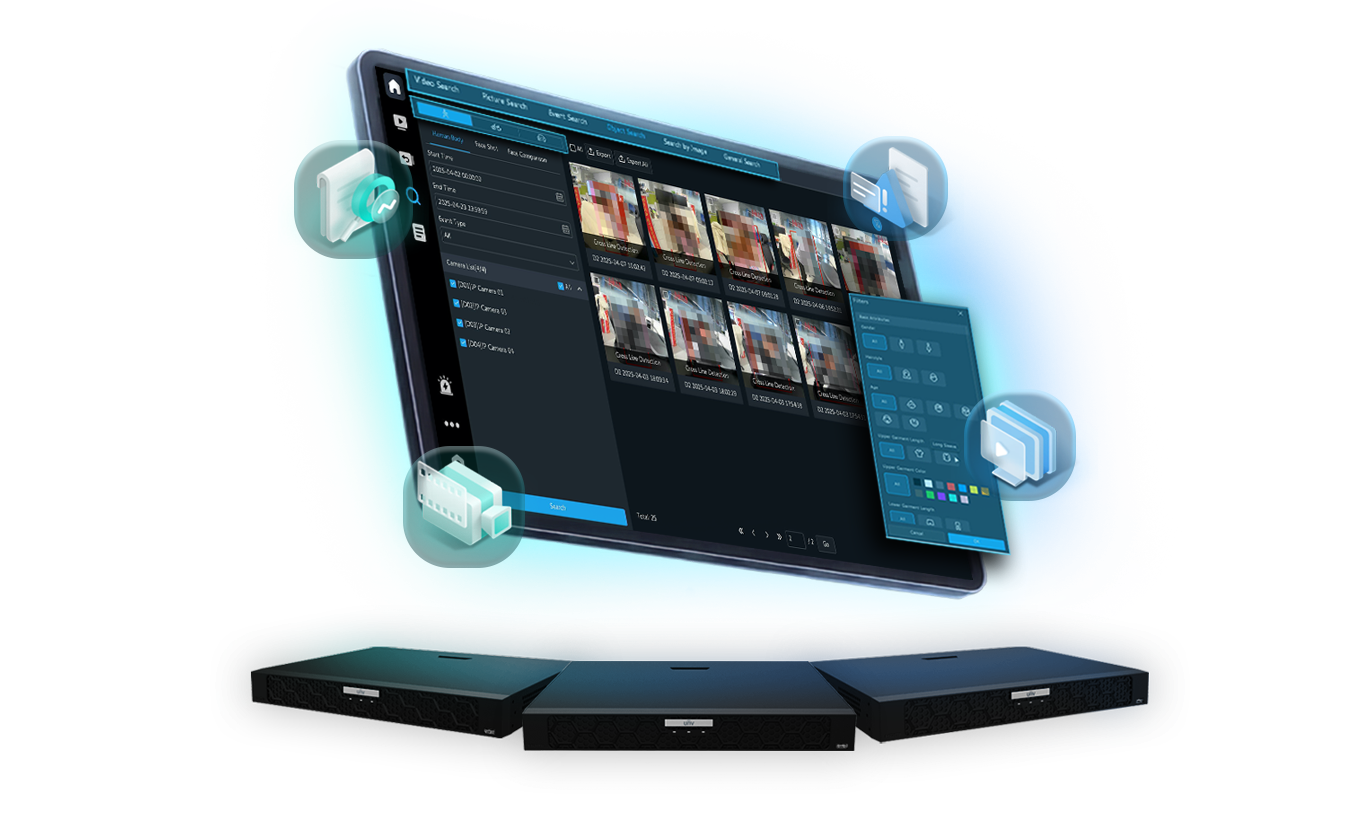
The updated Playback interface supports one-click simultaneous playback across up to 16 channels, making it easier to review multiple cameras at the same time. Smart Search has also been repositioned for easier access, while search modes have been simplified into Event Mode and Normal Mode.
Searching for specific objects has also been made more visual. Icons can be used to select targets such as people, motor vehicles, and non-motor vehicles, with filterable attributes presented in a more intuitive format.
For installers and operators who regularly need to find specific footage, these changes can make the process quicker and easier to navigate.
Bringing Events & Intelligence Together.
|
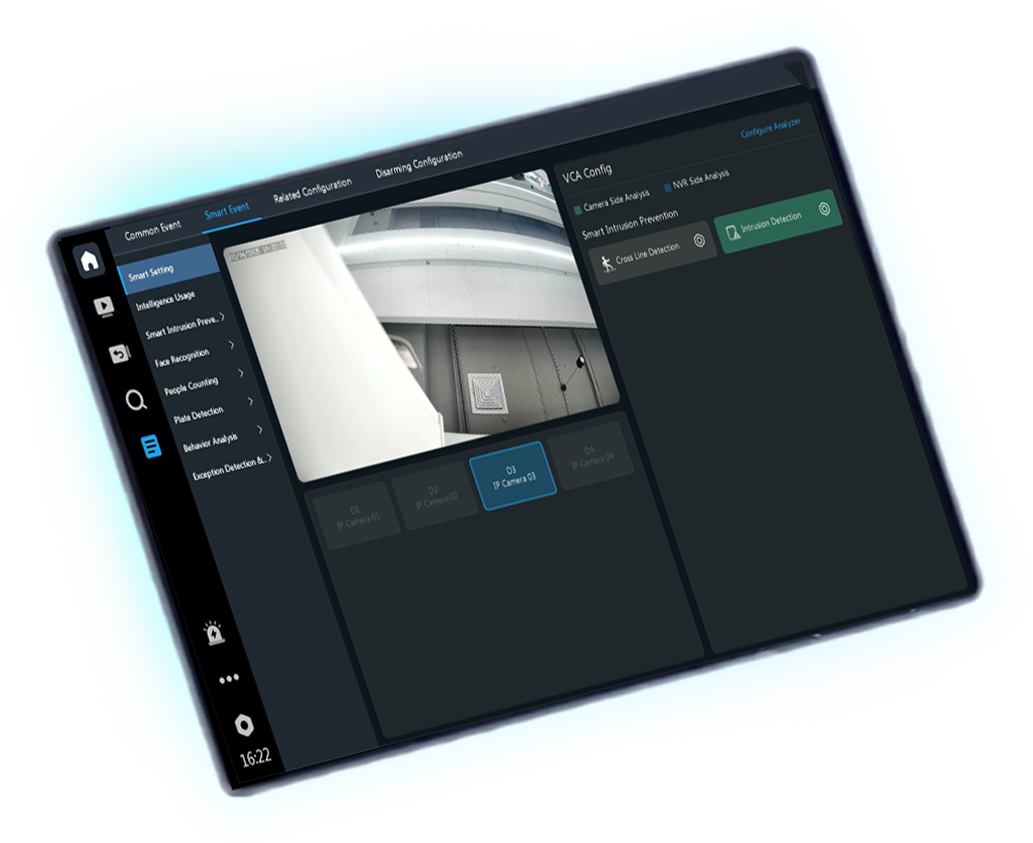
Uniview has also redesigned how event and intelligent functions are configured. The Alarm and VCA modules have been integrated, allowing related operations to be completed within a single module rather than switching between separate areas. Smart functions are displayed according to the capabilities supported by the camera and NVR, while the Intelligence Usage dashboard provides an overview of smart function usage across channels. Rules involving multiple areas can also be configured from a single interface, with related trigger actions brought together to simplify configuration. |
 |
Less Time Navigating, More Time Installing.
The redesign extends beyond the most frequently used functions. Uniview has consolidated related configuration options into single modules, reducing the need to switch between pages and channel interfaces.
Storage management has also been made more visual, allowing remaining capacity to be seen at a glance while storage allocation and policies can be managed from one interface.
The overall interface has also been redesigned with updated icons and a more cohesive visual style, replacing some text-based information with visual indicators that make key information easier to understand.
A New Look, A Familiar Experience.
The new Uniview GUI isn't about changing the way installers use Uniview systems from the ground up. It's about making the experience more efficient.
With frequently used functions easier to access, related settings brought together, and key system information visible at a glance, the new interface is designed to reduce unnecessary clicks and make configuration, monitoring, and search more straightforward.